ClaireMail

What we shipped.

The big releases, newest first. Every one of these is in the app today.

2026
2.8.443

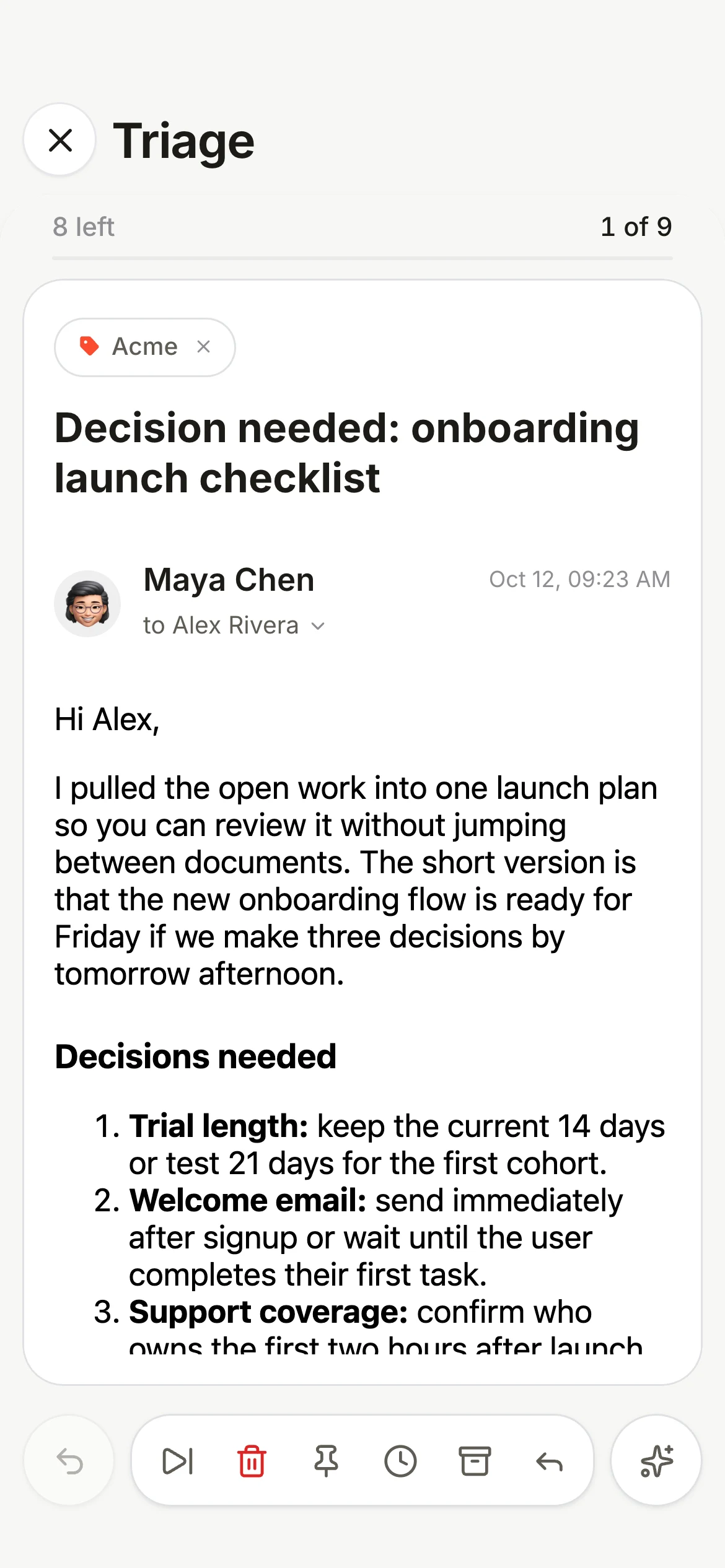
Triage reminders follows your swipe

Swiping a reminder one way, then back the other, now shows and does the second action, as in mail Triage.

  • Triage reminders: change direction mid-swipe and the action follows your finger, just like mail Triage.

2.8.442

Apple Calendar on the Mac, smoother setup

Apple Calendar works on the Mac, setup offers it, and the setup screens are tidier.

  • Apple Calendar on the Mac: Claire now asks for calendar access, so your Mac's calendars can show.
  • Setup offers Apple Calendar next to Google Calendar on Mac and iPhone.
  • Setup: every AI choice is the same size, and the choices sit centred on iPhone.
  • Share basic usage starts on during the beta, on its own screen with what is never shared. Turn it off any time.
  • Settings on the Mac keeps its own sizes after you resize the window.
2.8.441

Drafts in conversations

Reply drafts stay drafts, show in their conversation, and a few settings changes.

  • A reply draft now shows at the end of its conversation, marked Draft. Tap it to keep writing.
  • Moving or deleting a conversation no longer turns its draft into a message that looks sent.
  • On iPhone, light mode is a single White switch, and Frame is Mac only.
  • On iPhone, Settings, Reading has a Default mail app row that opens iOS Settings.
  • Settings, About: Setup shows the setup screens again on Mac and iPhone.
  • What's New on iPhone no longer shows a gray strip above the text.
2.8.440

Drafts that stay, quieter notifications

Saved drafts on iPhone, notifications only for new mail, a daily brief you can correct, and two new reading settings.

  • Drafts you save on iPhone and the web are now kept in Gmail, so they are still there after you close the app.
  • iPhone notifications ring only for new mail. Archiving or reading on another device no longer sends one, and the badge still updates.
  • Daily brief: Not needed removes a reply or follow-up for good. Dismissed and archived conversations stay out, and a reply from the same company in a new email clears a follow-up.
  • Meeting prep uses only email about that meeting, and suggests steps only when there is something specific to do.
  • Sender fonts (Settings, Reading): keep the fonts newsletters choose, including Google and Adobe web fonts when images are allowed.
  • Date headers (Settings, Inbox & labels): turn off Today, Yesterday and earlier sections for one plain list. Pinned no longer starts grouped by label.
  • On iPhone, links in emails open inside Claire, with Done to come back. Turn it off in Settings, Reading.
  • On iPhone, Claire can be your default mail app: Settings, Apps, Default Apps, Email.
  • Triage reminders on iPhone swipe like mail Triage.
  • Gmail categories: unread tabs show the blue dot, and empty tabs say so.
  • Prepare on the iPhone meeting page matches the Join button.
  • Glass, Glass+, Mist and Legacy are retired. If you used one, Claire switches to Solid.
2.8.439

Sort like Gmail

Gmail's own inbox tabs, two actions per swipe, Apple Calendar, sending from your Gmail aliases, and Frame on iPhone.

  • Inbox categories: sort with Claire (Primary, Other, Newsletter) or like Gmail (Primary, Updates, Promotions, Social, Forums). Setup asks which you prefer.
  • In Gmail mode, moving a message changes its Gmail category for the whole conversation, and new mail from that sender follows. Undo puts it back.
  • Today, the inbox card and the iPhone widget show your top three categories, then how many more.
  • Long swipes: a second action in each direction on the email list. Defaults are Trash, Archive, Snooze and Pin.
  • AI: one switch per feature in Settings, so you can keep Ask Claire and turn off the rest.
  • Apple Calendar as a calendar source on the Mac and iPhone, every calendar on the device, read-only.
  • Send mail as: pick a verified Gmail alias as From when you compose.
  • Reminder lists have icons everywhere, with a picker, and switching accounts shows the account's photo.
  • Snoozed mail stays hidden on every device until it is due.
  • The optional footer on new emails now reads Sent with Claire Mail.
  • Frame on iPhone: a dark top bar with white screens. On the Mac, Today now sits in the white panel.
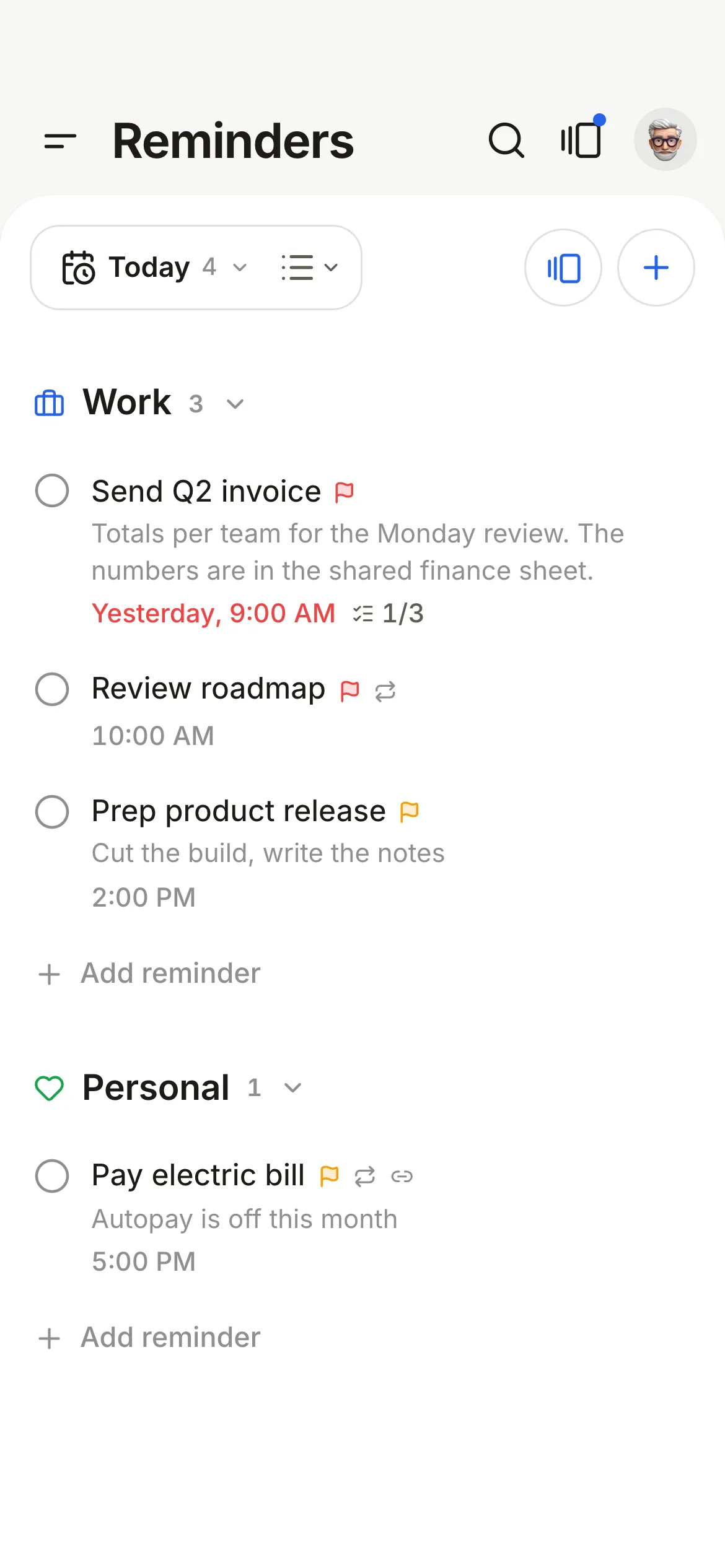
  • Triage reminders: go through your reminders one card at a time, like mail Triage, for the date you have selected (Today, Tomorrow or All open). Skip, Done, Snooze or Delete, with Undo. Change the list or priority and tick subtasks from the card.
  • Ask Claire on a reminder: key points from related mail, then one tap to add subtasks, draft the email, suggest a due date from your calendar or write the notes.
  • Reminders on iPhone: a new reminder's title gets the cursor once the sheet is open, and the list and due date in details are larger.
  • Swiping out of an email in a dark theme now shows the email's edge.
  • Calendar on iPhone: the return button reads Today, All day shows once, and events start closer to the week.
  • Settings: shorter names and descriptions.
2.8.438

Calmer motion and a badge you can trust

Smoother swipes, closes and undo on iPhone, and an app icon badge that counts the inbox you are looking at.

  • Swipe to archive glides the row away instead of snapping back, and the action colour builds with your finger.
  • Closing an email or Triage, the undo pill, the next Triage card and the save draft sheet all move more gently.
  • The iPhone badge offers All inbox or Primary only, like the Mac, and Primary only counts what is still in your inbox.
  • With more than one account, the badge follows the account you are viewing, even when a notification arrives.
  • White on the Mac: softer card shadows on Today.
  • Quick add: Notes uses the same type as the title.
2.8.432

Frame, Apple Intelligence on Mac, and a smarter Start here

A new Frame theme for the Mac, on-device AI on the Mac, and reminders grouped by what you can do together.

  • Frame: white mail in a dark frame, with Today fully dark. Mac, light mode.
  • Apple Intelligence runs Ask Claire, Start here and meeting prep on your Mac with no key.
  • Start here groups your calls, emails and quick ones, with help for each group.
  • Up next puts Join and Prepare side by side, and links in meeting prep open.
  • Quick add: Tab goes to Notes, menus open above the panel, and the shortcut works when Claire is in the background.
  • What's New is a short tour, now on iPhone too.
2.8.431

Quick reminders and meeting prep

Add a reminder from anywhere on your Mac, and walk into meetings ready.
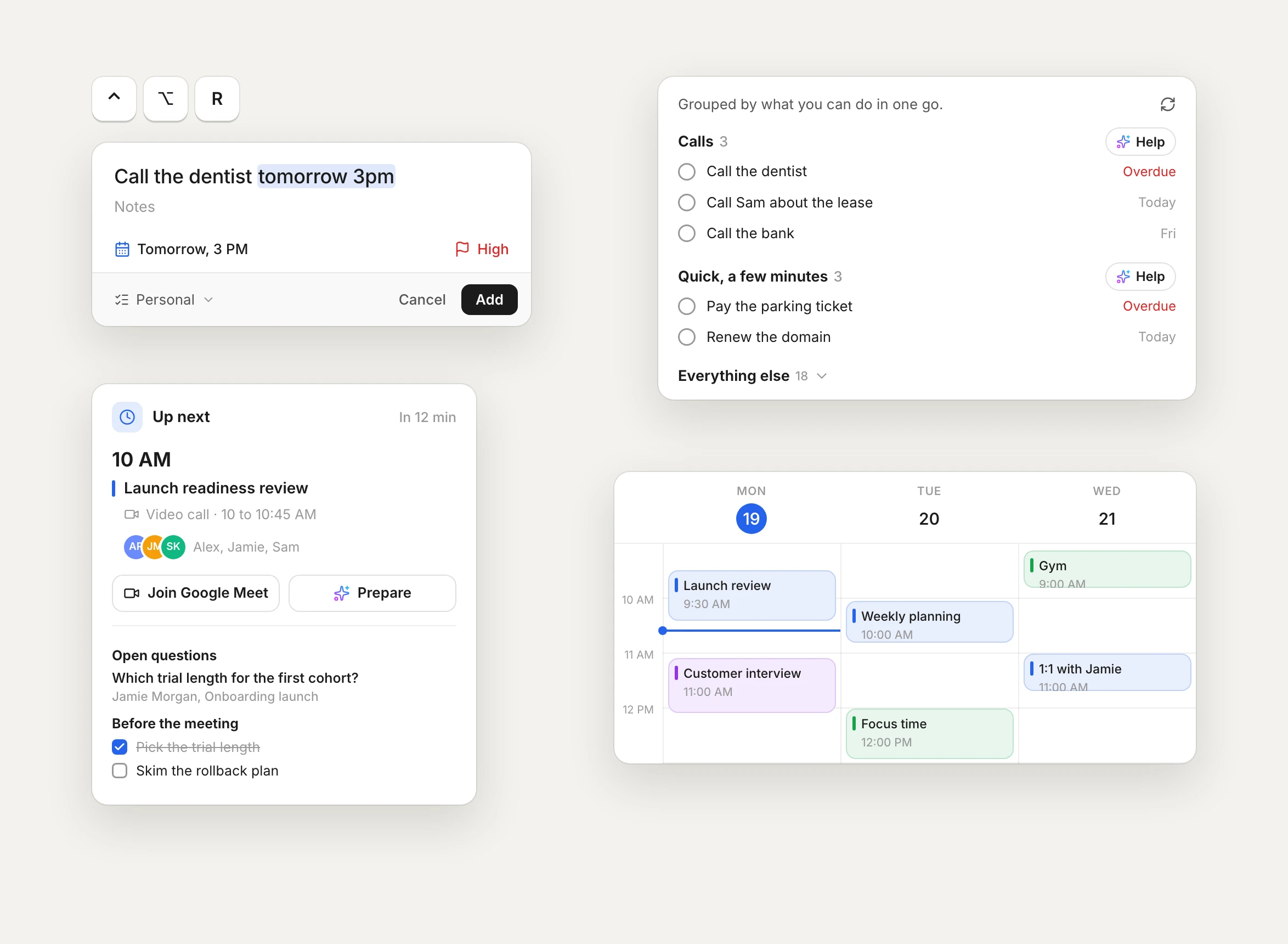
  • Press Control Option R in any app on your Mac, type the reminder, press Return. Change the shortcut in Settings.
  • Type the date in the title, like tomorrow 9am or Oct 28.
  • Before a meeting, tap Prepare for the open questions and what to do first, on Mac and iPhone.
  • Start here on Reminders groups your calls, emails and quick ones so you can do them together, and drafts the first step for a whole group.
  • Ask Claire picks the date from the email, and the calendar is calmer.
  • On the iPhone, choose On device in Settings, AI: Apple Intelligence answers Ask Claire, Start here and meeting prep with no key and nothing leaving your phone. The daily brief uses your cloud key.
  • Settings: Fahrenheit or Celsius, 12 or 24 hour time, and pause an account on this device without signing out.
  • Undo sits in the bottom bar with a countdown, the app icon badge shows Gmail's real unread count, and Pinned and Snoozed load with the inbox.
Quick reminders and meeting prep on Mac
2.8.426

Faces in your inbox

Sender photos and brand logos, so you know who wrote at a glance.
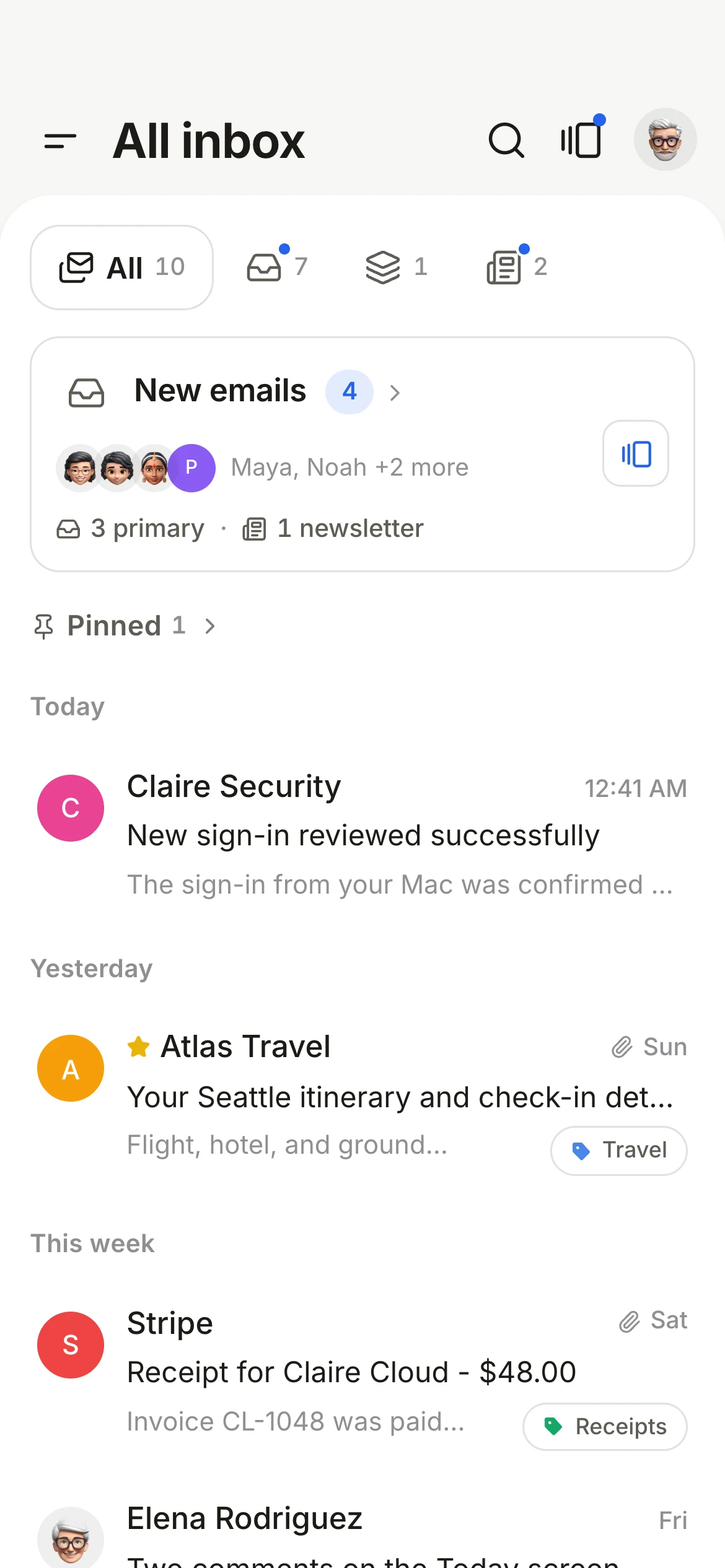
  • People show up with their photo, companies with their logo.
  • Logos come from the sender's own verified records.
  • Photos load privately through Claire.
Faces in your inbox on iPhone
2.8.423

A new first run

Set Claire up the way you like in a few short screens.
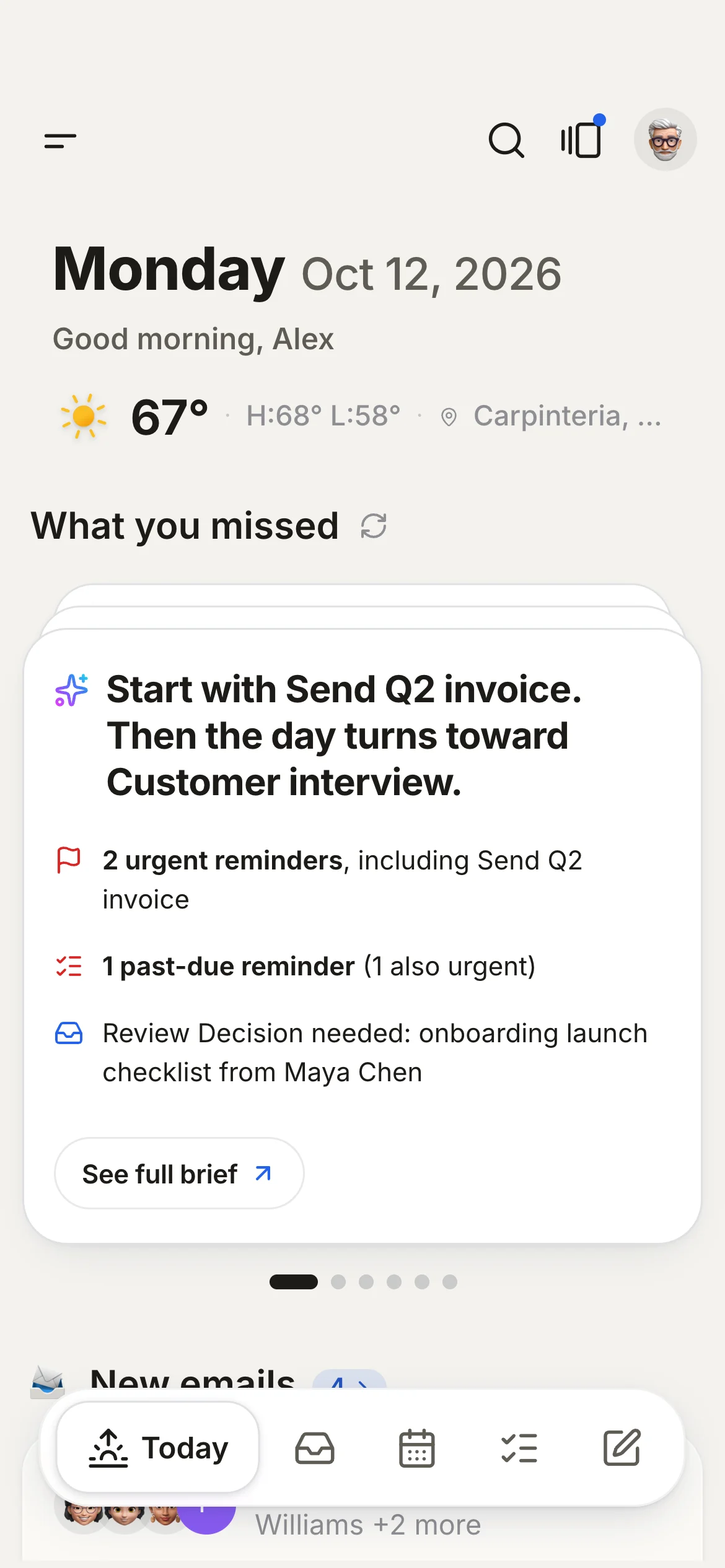
  • Pick a sorted inbox or one inbox.
  • Bring in your calendar and reminders.
  • Use your own AI key with Claude, OpenAI, Gemini, Grok or Groq, or none at all.
A new first run on iPhone
2.8.411

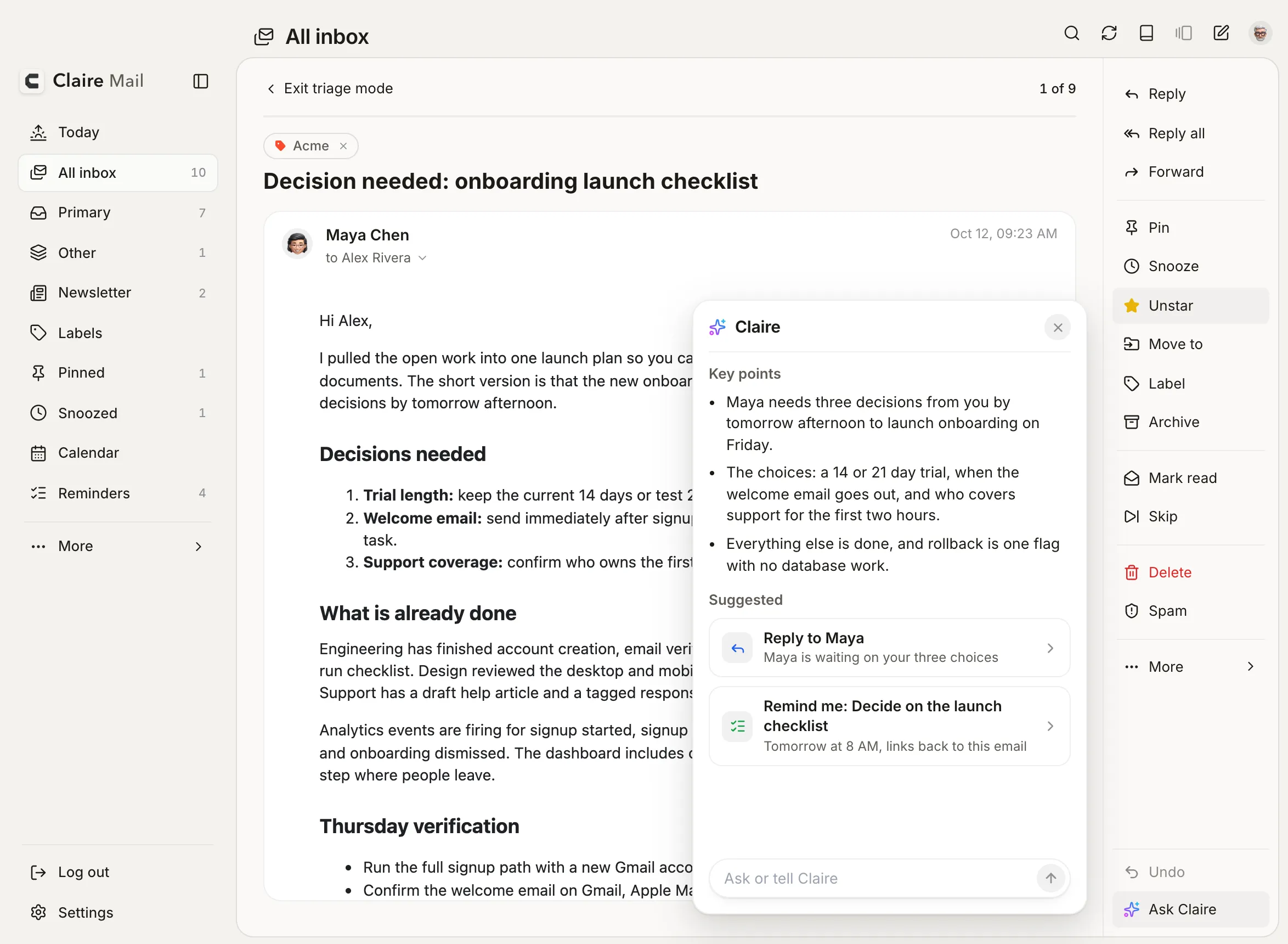
Ask Claire

One place to ask about any email.

  • The key points, in a few lines.
  • One suggested next step you can tap.
  • Drafts that sound like you, and answers about the whole thread.
Ask Claire on Mac
2.8.400

Your data, your call

Delete what Claire keeps on its servers yourself, from Settings.

  • One button, no email to support.
  • Your mail stays in Gmail either way.
2.8.392

A faster inbox

Lists, folders and the daily brief load much faster.
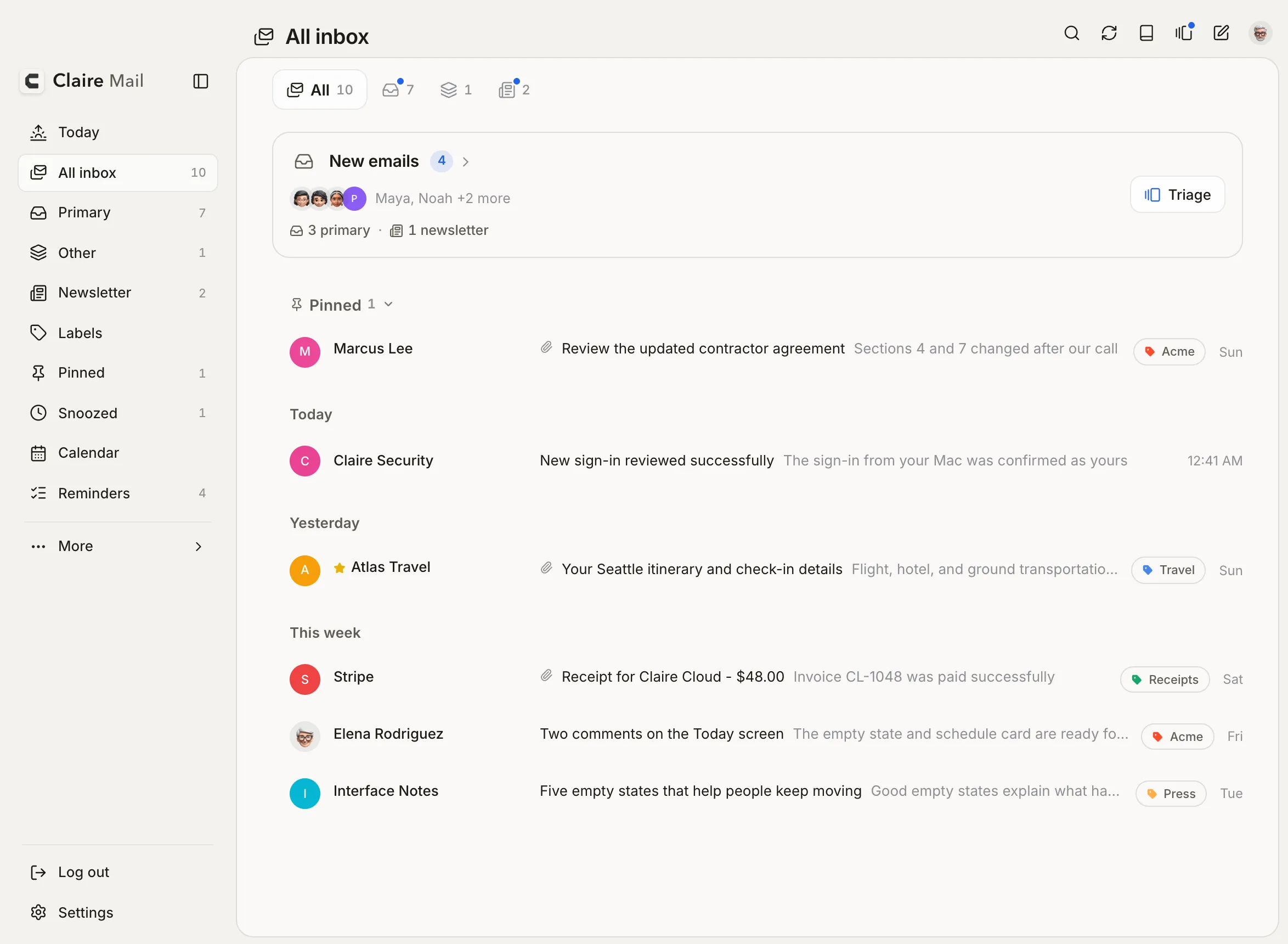
  • Claire reads Gmail in smarter batches.
  • It stays inside Gmail's limits, so it does not slow down later in the day.
A faster inbox on Mac
2.8.375

White and Black

Two new looks next to the classic one.
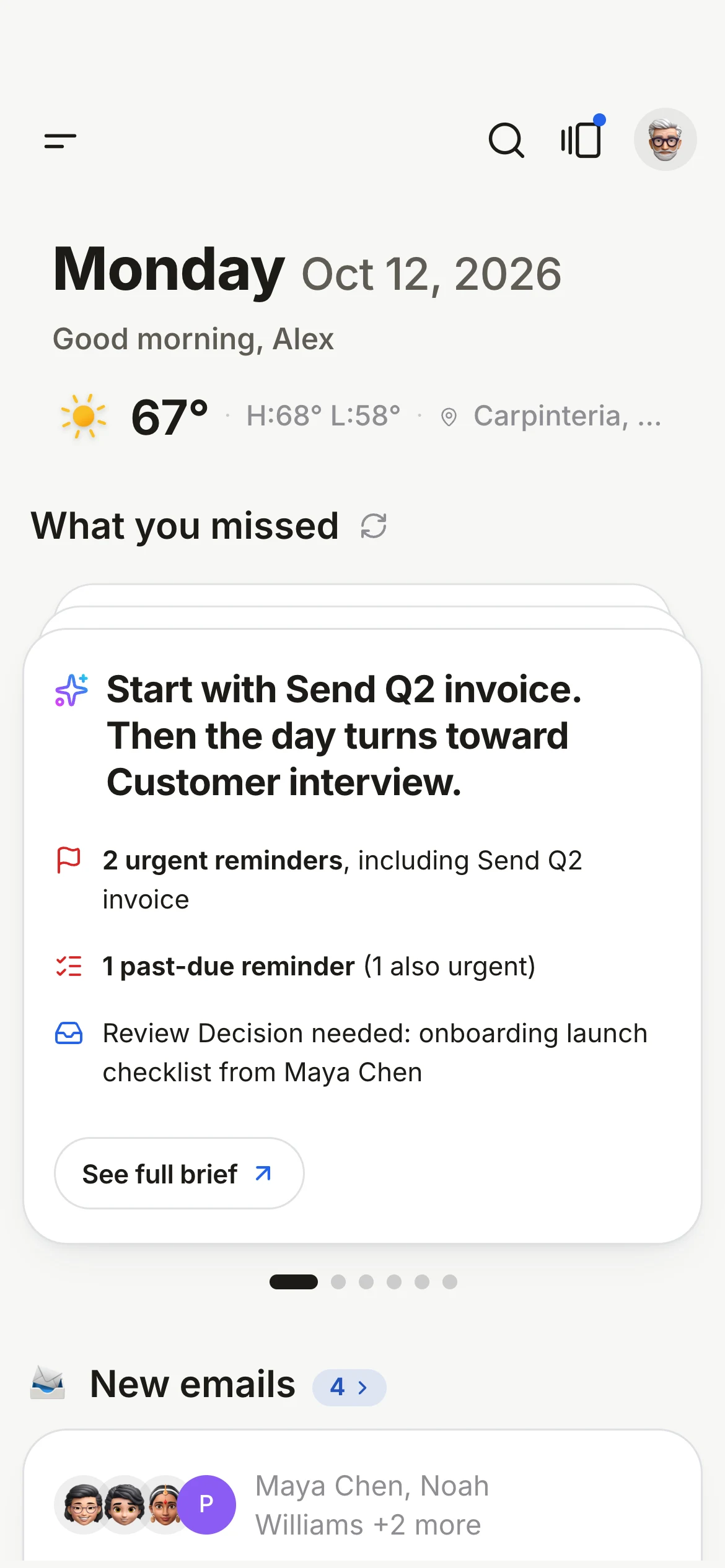
  • White for a bright, paper-like page. Black for a deep, quiet one.
  • On Mac, iPhone and the web.
White and Black on iPhone
2.8.359

iPhone widgets

Your day on the Home Screen.

  • Daily brief, New emails, Schedule, Up next and more.
  • Tap through to exactly the right place.
2.8.339

Reminder details on Mac

Select a reminder and everything about it sits right beside the list.
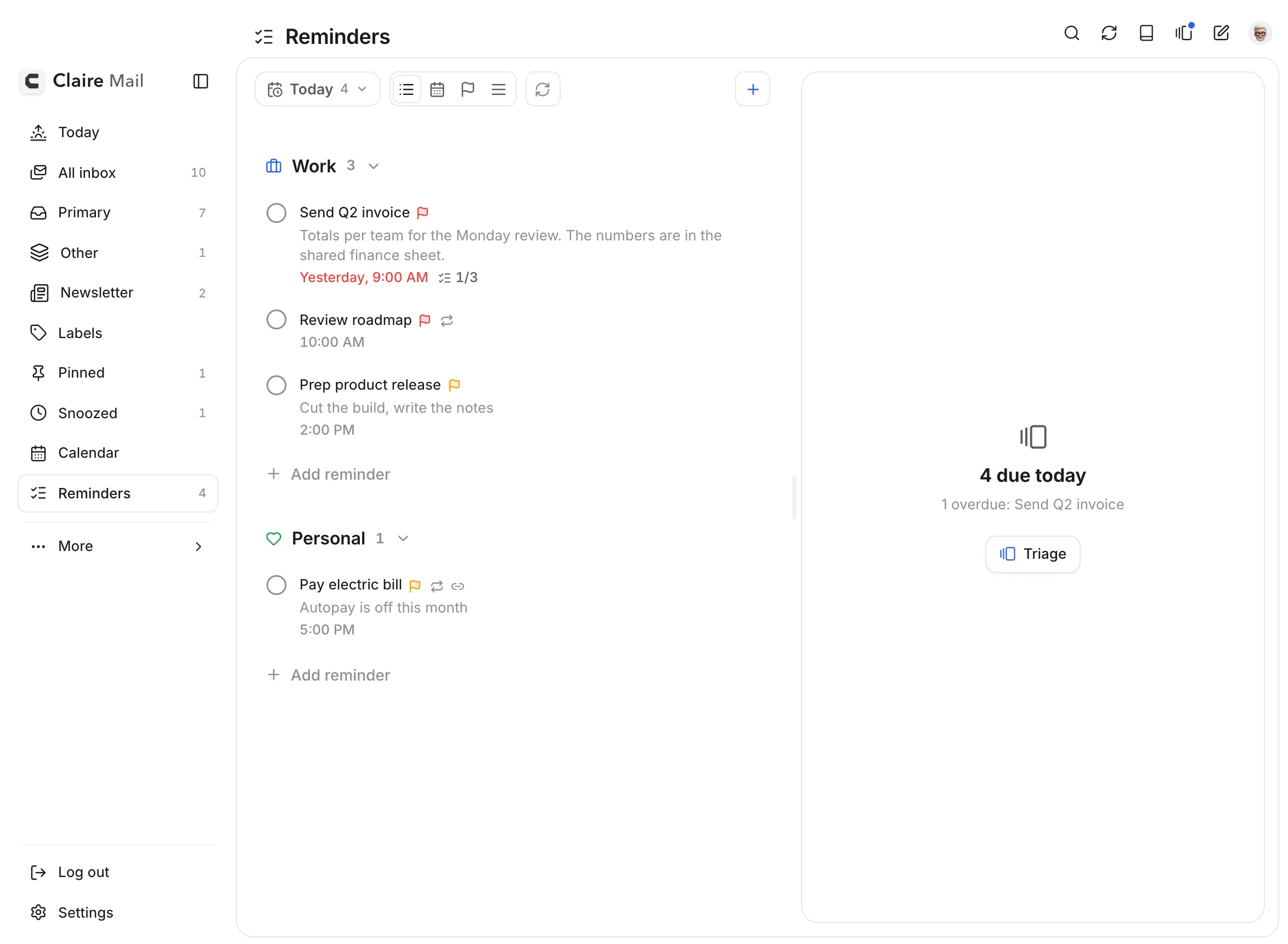
  • Notes, subtasks, dates, repeat and priority in one pane.
  • Move through reminders with the keyboard.
Reminder details on Mac on Mac
2.8.104

Snooze that comes back right

A snoozed conversation returns as one unread email, at the top.

  • A reply wakes it early.
  • Your snoozes follow you across devices.
2.8.74

Apple Reminders in Claire

Your lists next to your mail.

  • See and finish your reminders without leaving Claire.
  • Turn any email into a reminder that links back to it.
Apple Reminders in Claire on iPhone
2.7.56

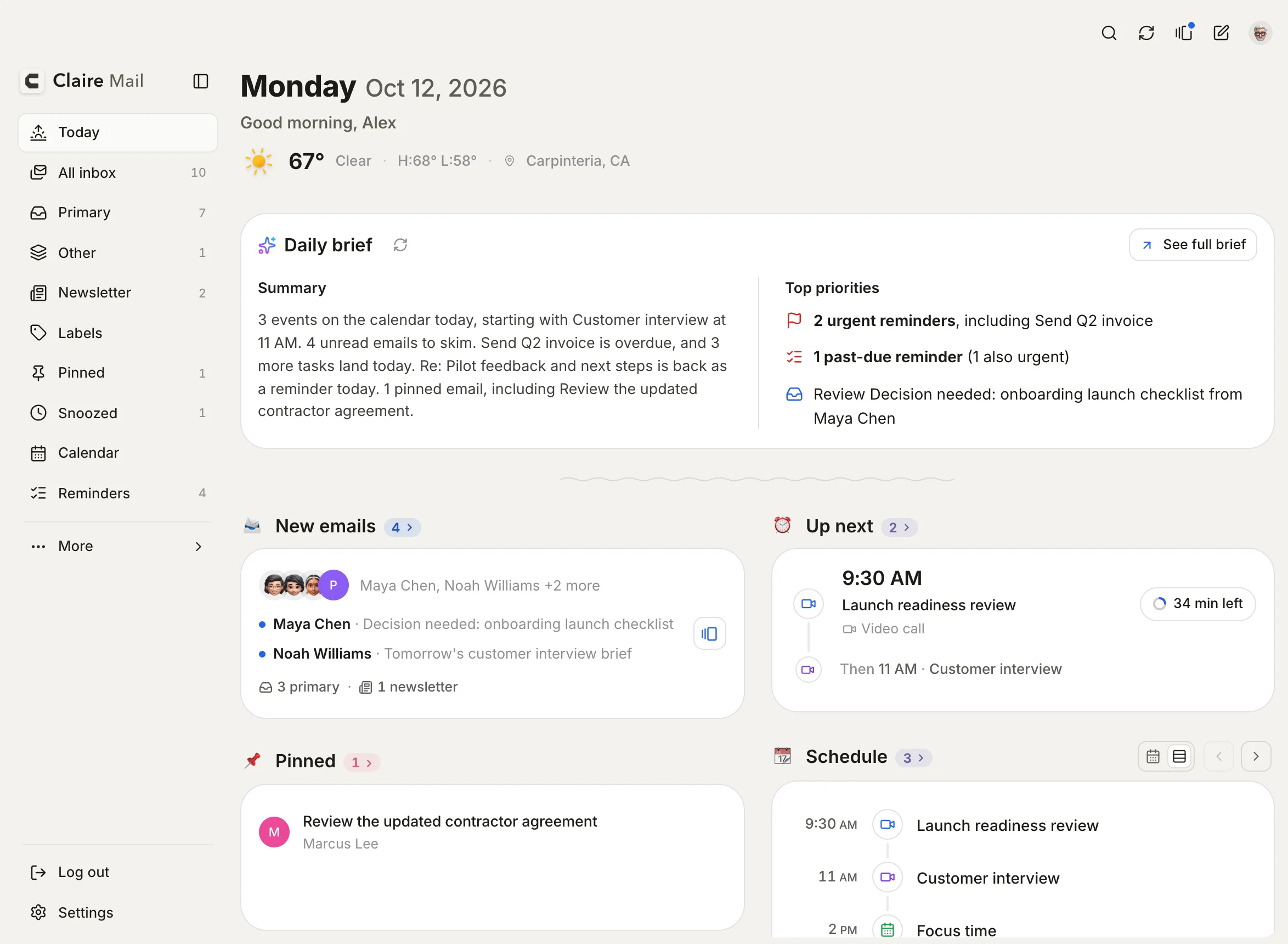
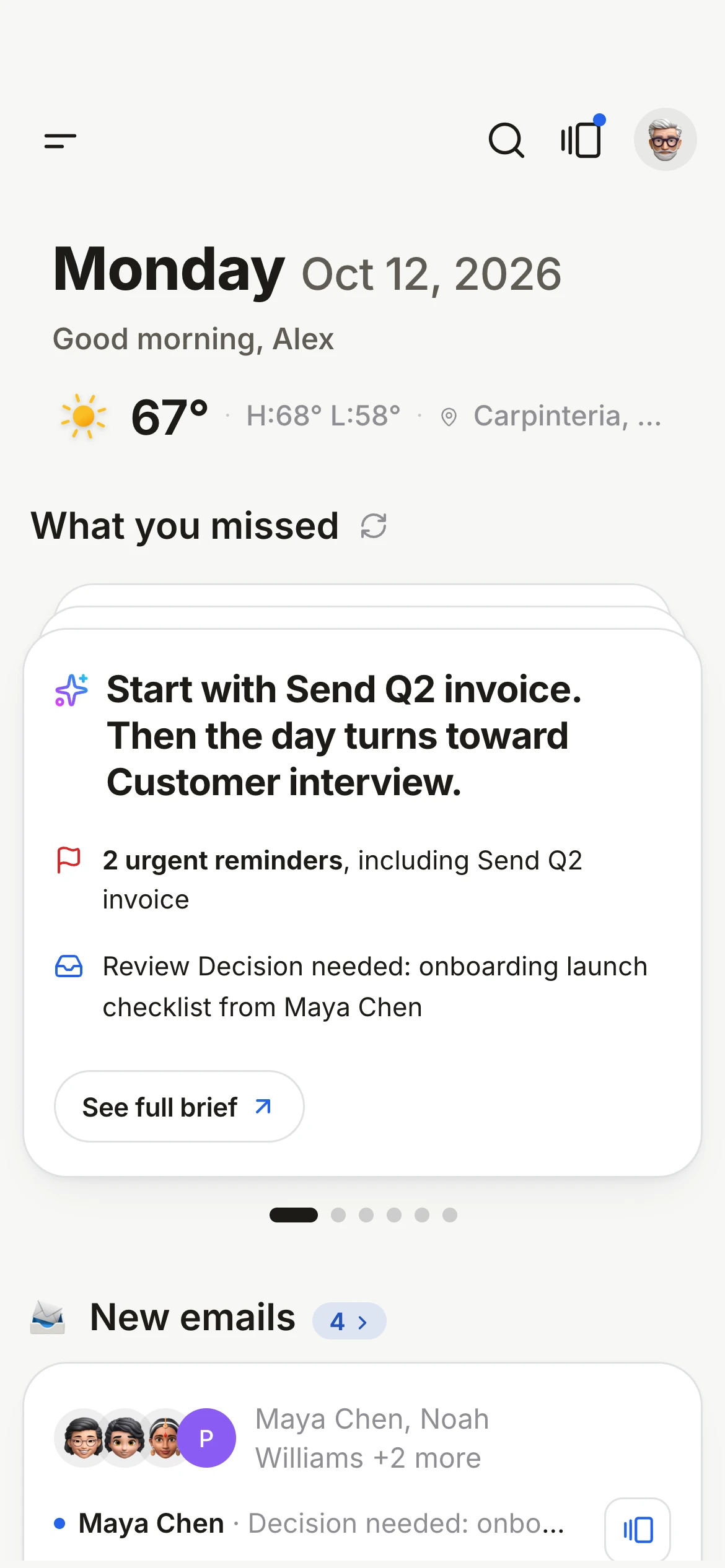
The daily brief

Each morning, your day in one read.

  • What needs a reply, what is due, and what is on your calendar.
  • Written for today, not a list of counts.
The daily brief on Mac
The daily brief on iPhone
2.7.0

A sturdier Claire

A careful pass on reliability.

  • Reminders and the Today screen got sturdier.
  • Same calm idea: know what matters, then get on with your day.
2.3.1

Triage

Go through new mail one card at a time.
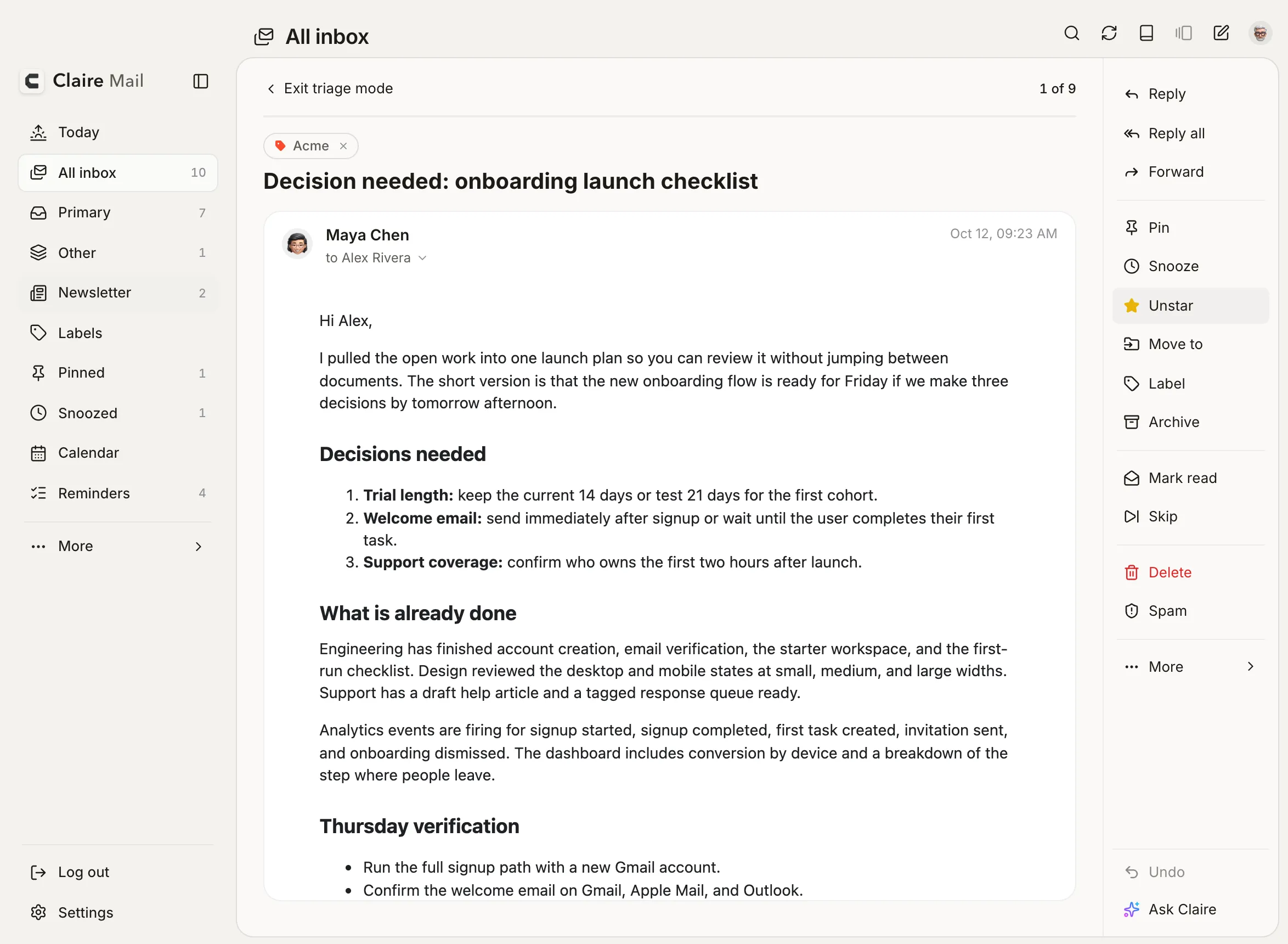
  • Archive, snooze or reply in one move.
  • Works the same on Mac and iPhone.
Triage on Mac
Triage on iPhone
And smaller releases every week.